

Give guests a digital hotel experience
with no app to install
With Avdena QR your guest installs nothing — they scan a QR and your branded digital experience opens instantly in their own language. Guests help themselves, so routine work leaves your staff — and you manage every digital guest touchpoint from one panel, updating content without reprinting and turning scans into AI reports.
- No app for guests to install
- Routine work off your staff
- Every touchpoint in one panel
Built for hotels, resorts and multi-location groups
Print once. Change the content forever.
1 · Print once
Stick the QR on the room, table or board. The physical code never changes.
2 · Update content
Menu, info or campaign changed? Edit it from the panel — no reprint, no cost.
3 · Track & report
Watch scans live; get an AI report with charts and plain-language insights.
Everything your guest scans
Branded mobile pages that open instantly in the guest’s own language — no app download. Guests help themselves, so routine load leaves the front desk; content changes anytime and the printed QR never does.
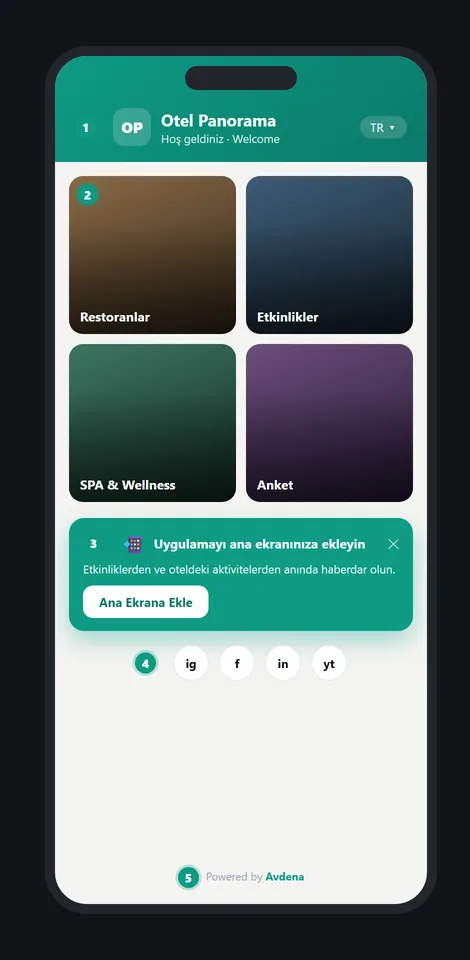
Guest Hub — your hotel as an app
All your services on one welcome screen: menus, events, spa, surveys. Guests add it to their home screen like a real app — with your name and icon — and opt in to notifications.
- 12 layout designs, two-level cards
- Add-to-home-screen + push opt-in
- Instant language switch on screen
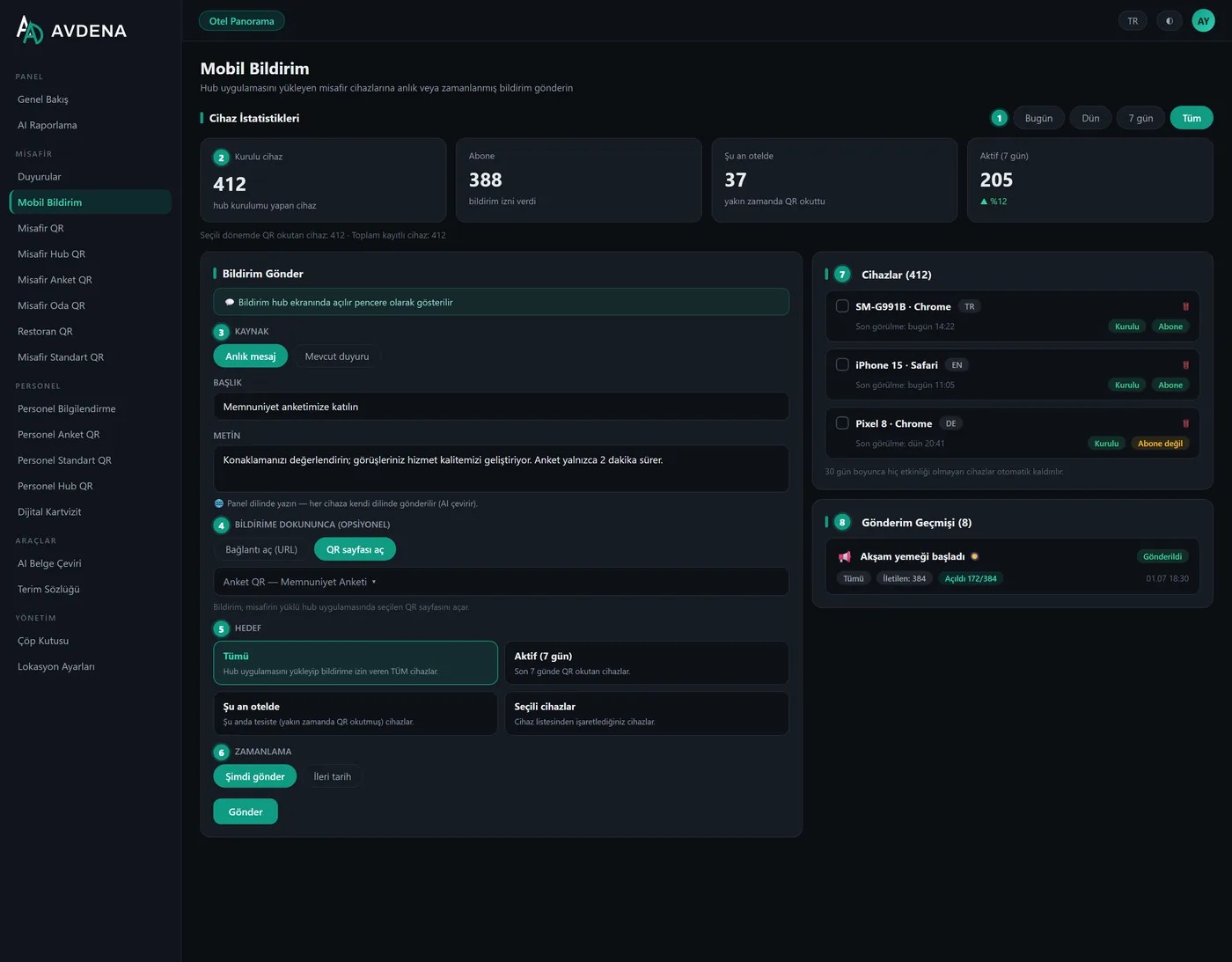
Push notifications — without building an app
Send instant or scheduled messages to every device that installed your Hub. Each guest receives it in their own language; a tap opens the page you chose inside your hotel app.
- Targets: all · active (7 days) · on-site now · selected devices
- Live device list with install & subscribe badges
- Delivery, open-rate and dwell reporting
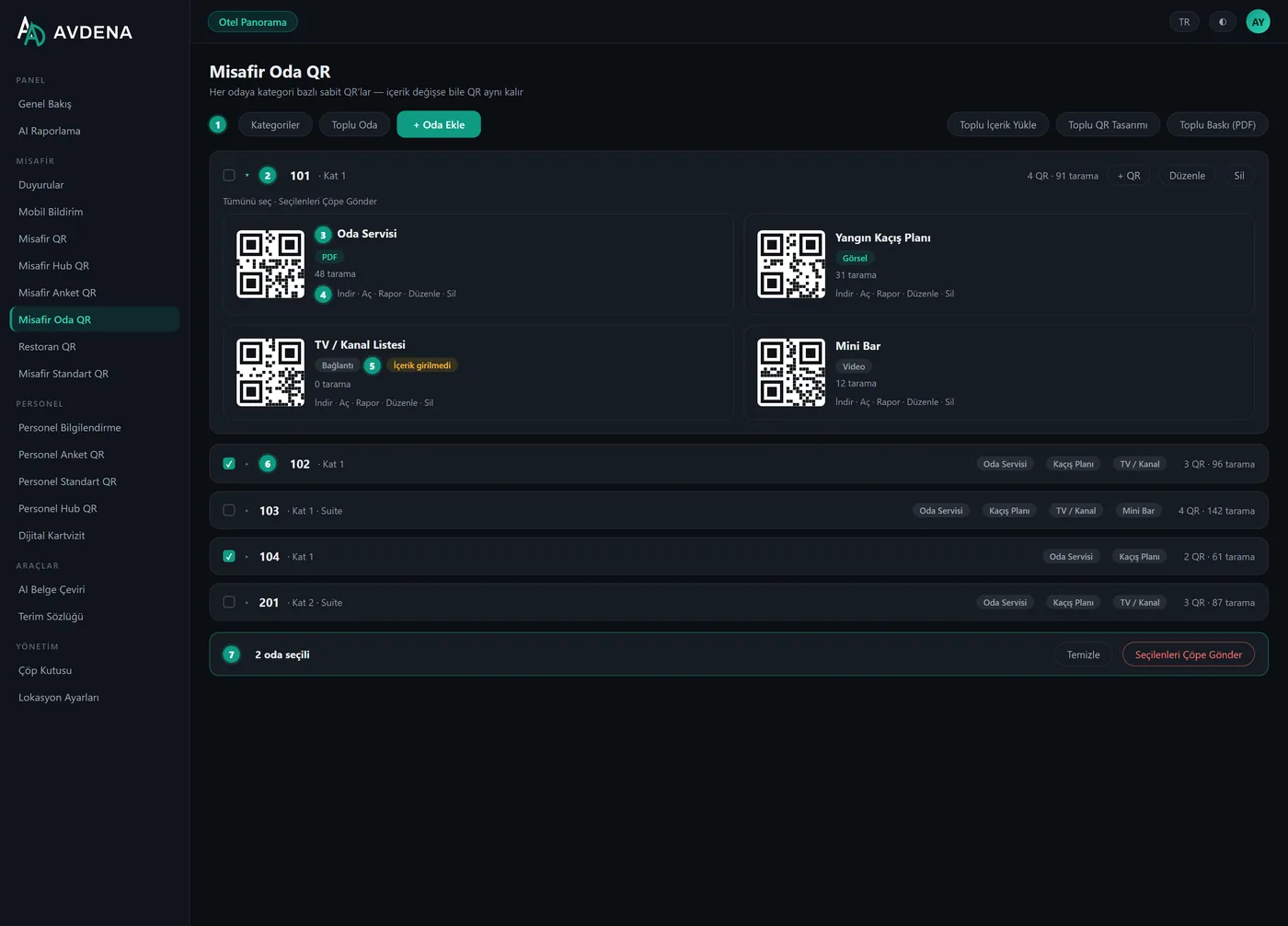
Room QR — one code per room, per category
Room service, TV guide, escape plan: fixed codes for every room. Add hundreds of rooms via Excel, upload content in bulk by file name, print all codes as one ready-for-press PDF.
- Room × category structure
- Bulk rooms, bulk content, bulk print
- Content updates never reprint the code
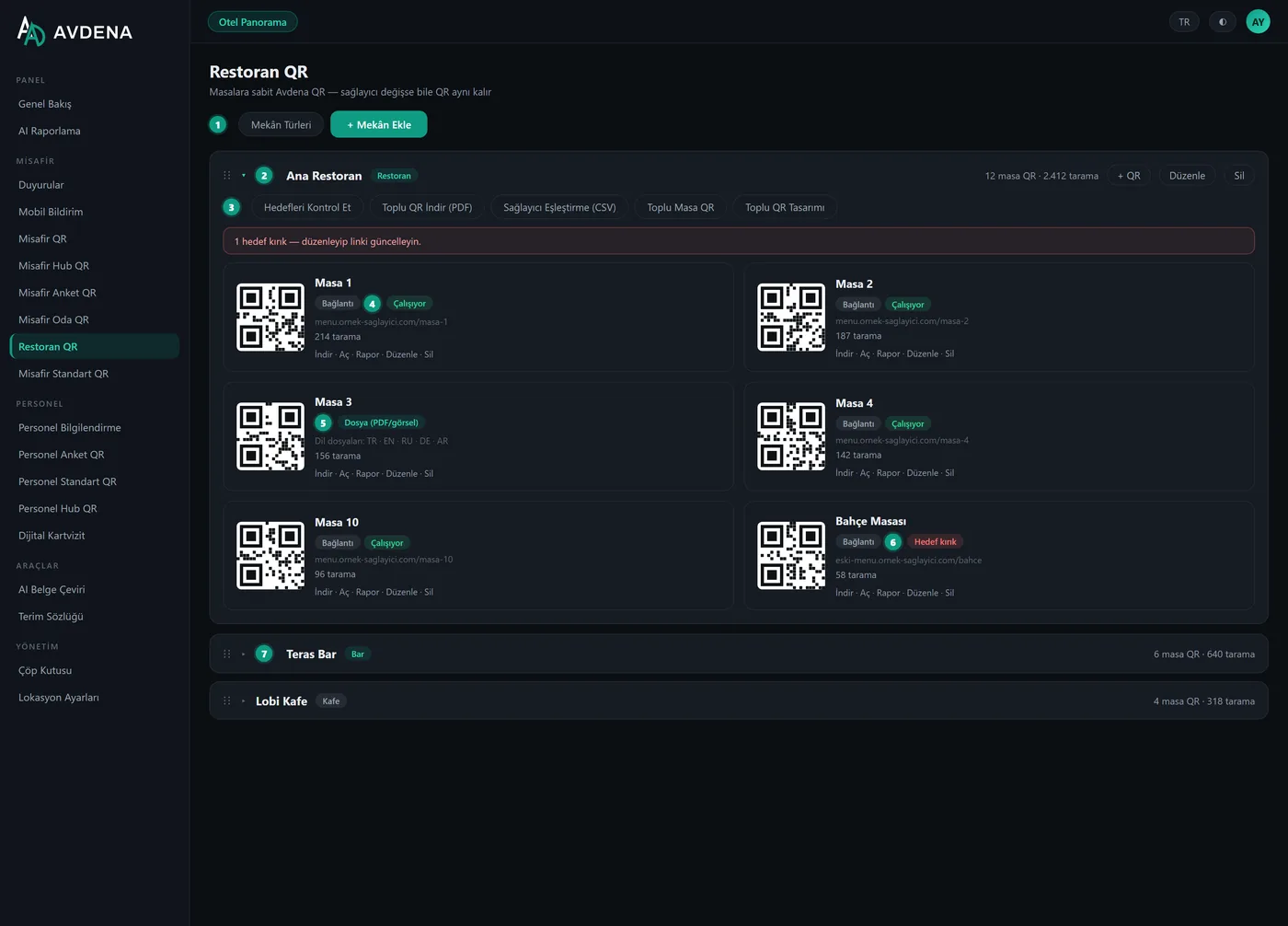
Restaurant QR — table codes that survive menu changes
Per-table codes for restaurants and bars. Point them at a provider link or upload menu files per language. Switch providers later — the printed codes on your tables stay valid.
- Link mode or per-language menu files
- Health check: spot broken menu targets
- Bulk table import from Excel/CSV
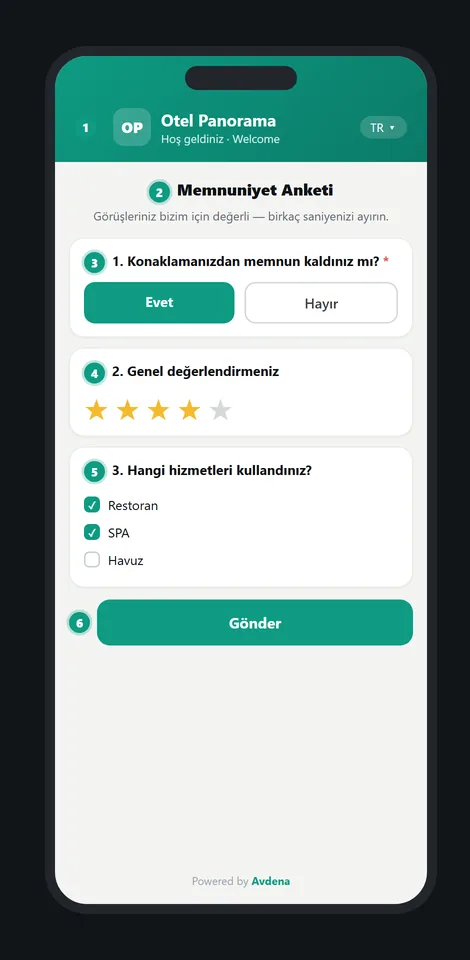
Survey QR
8 question types, guest answers in their own language; per-question analytics with averages and completion rate.
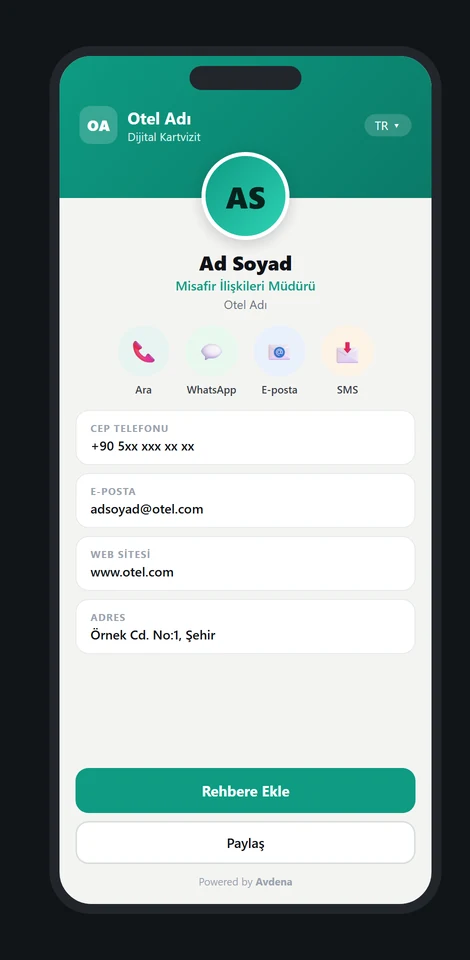
Digital Business Card
One tap saves the contact to the phone. Bulk-create from Excel, print-ready PDF — scans stay out of guest statistics.
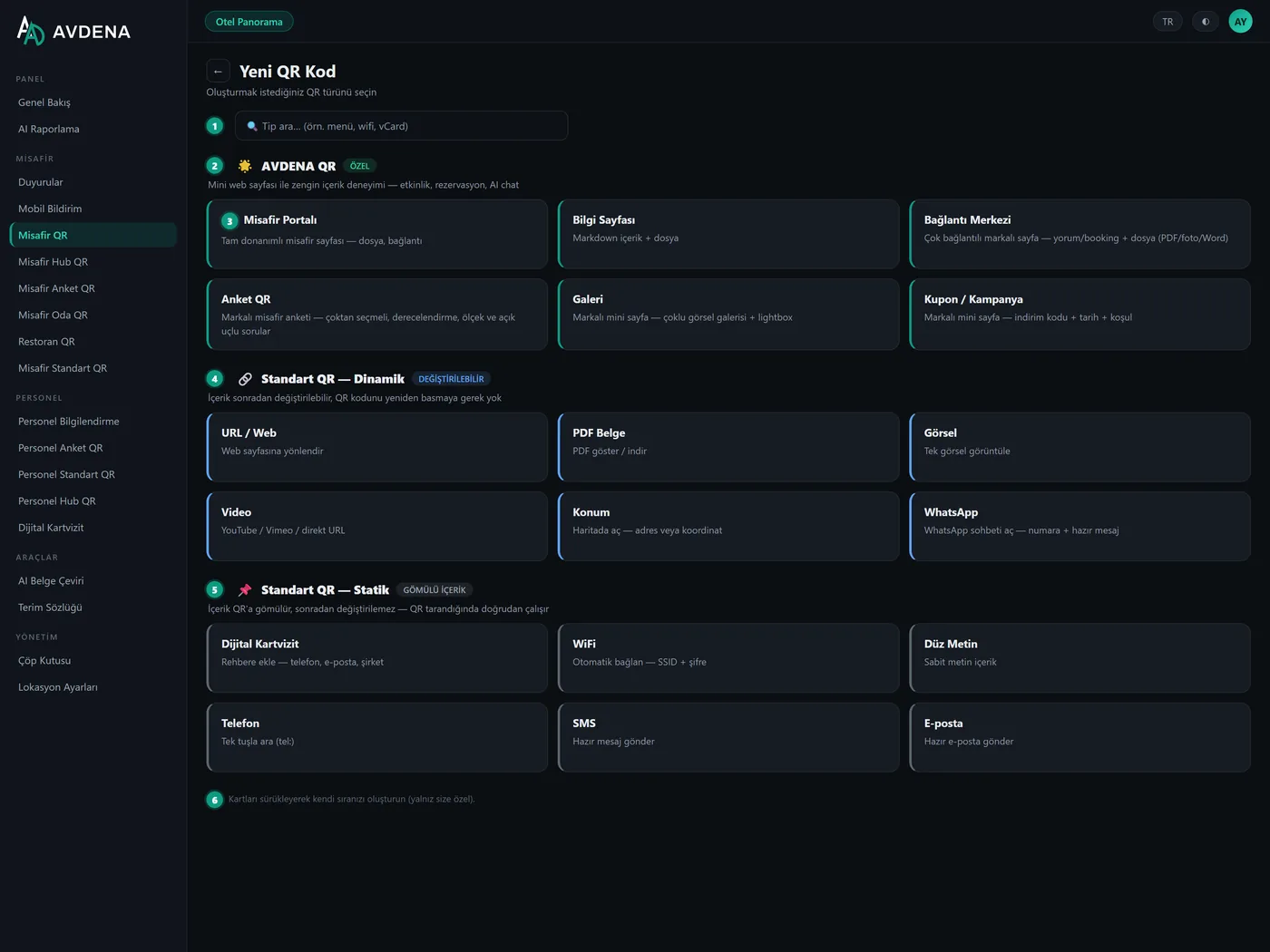
Content Center — 18 QR types
Info pages, link hubs, galleries, coupons, files, WiFi, WhatsApp and more — dynamic codes you restyle and update freely.
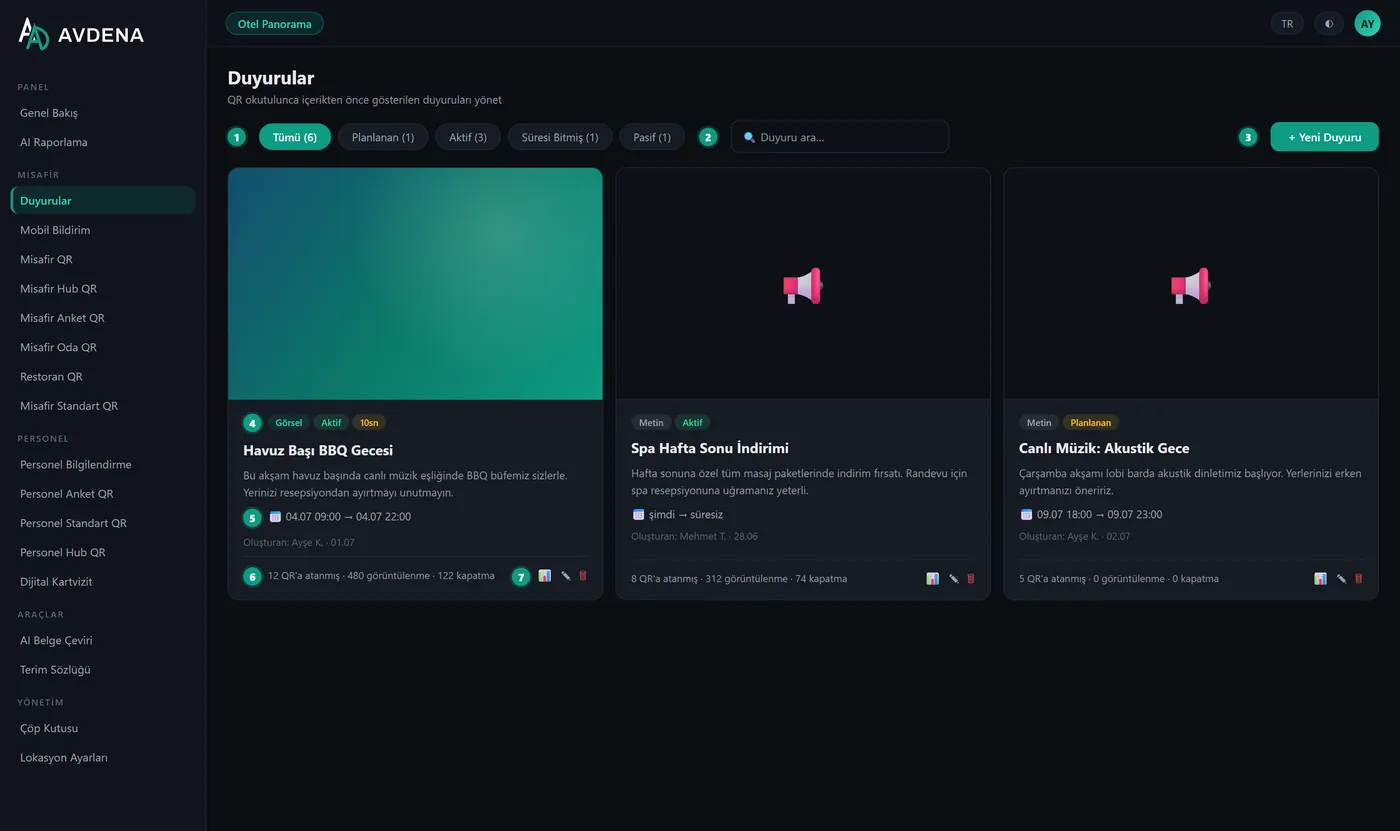
Announcements
A branded card shown before any content opens: events, campaigns, maintenance. Schedule start/end; optionally push it too.
The same power, for your team only
Staff tools mirror the guest tools but live behind a hard wall: staff content never appears in guest lists, announcement targets or notification audiences.
Staff Info Pages
Shift rules, hygiene procedures, onboarding — rich text with fonts, colors and links.
Staff Surveys
Anonymous team surveys with the same 8 question types and per-question analytics.
Staff Hub
One QR gathering every staff resource: documents, links, surveys — the team’s start screen.
Staff Standard QR
Quick internal codes: documents, intranet links, WiFi — visible to staff only.
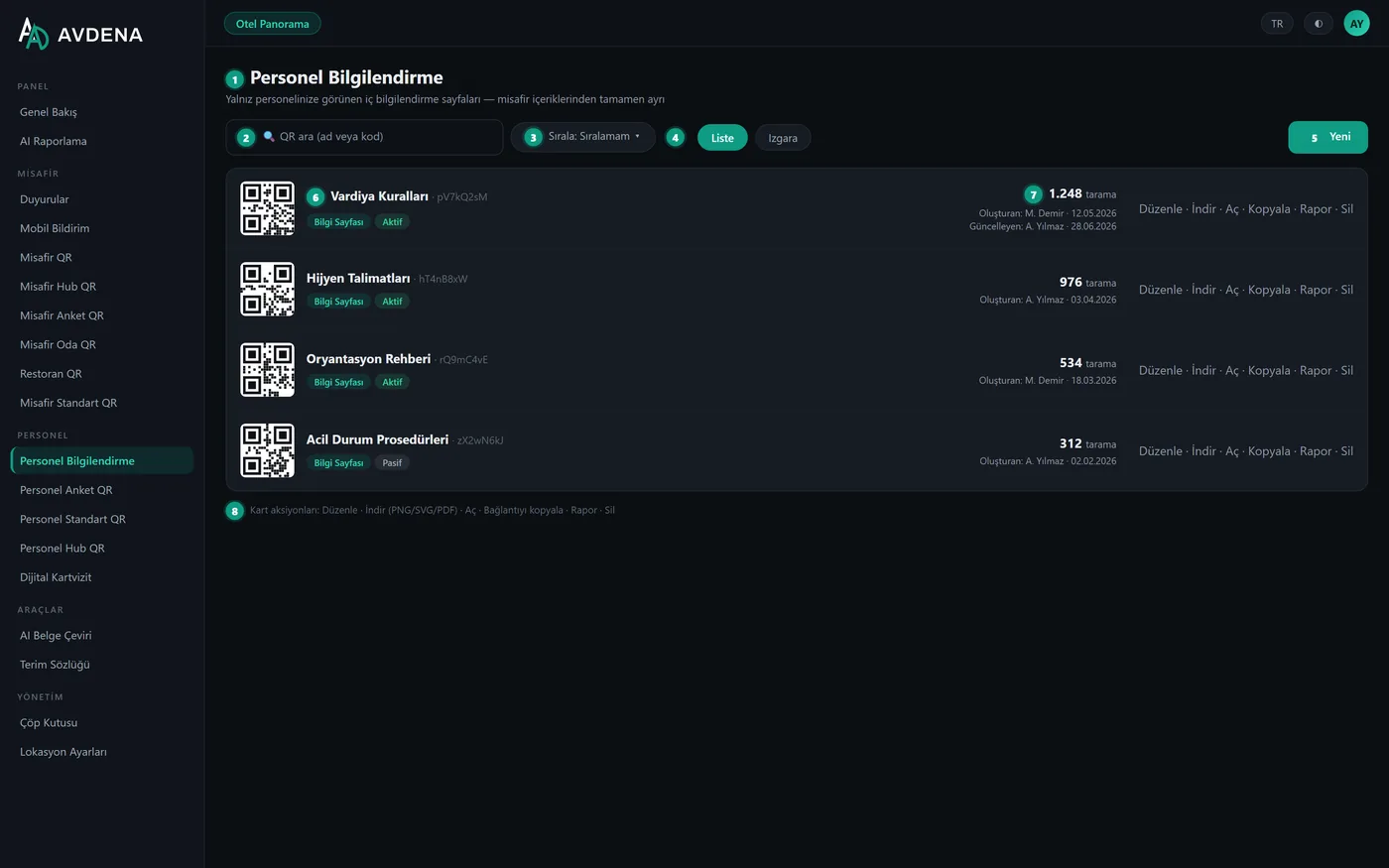
Hard isolation, by design
- Separate menus, separate reports, separate permissions (per-audience roles)
- Staff QRs can never be picked as guest notification targets
- Give a user only the staff side — or only the guest side
One screen to run the hotel’s QR life
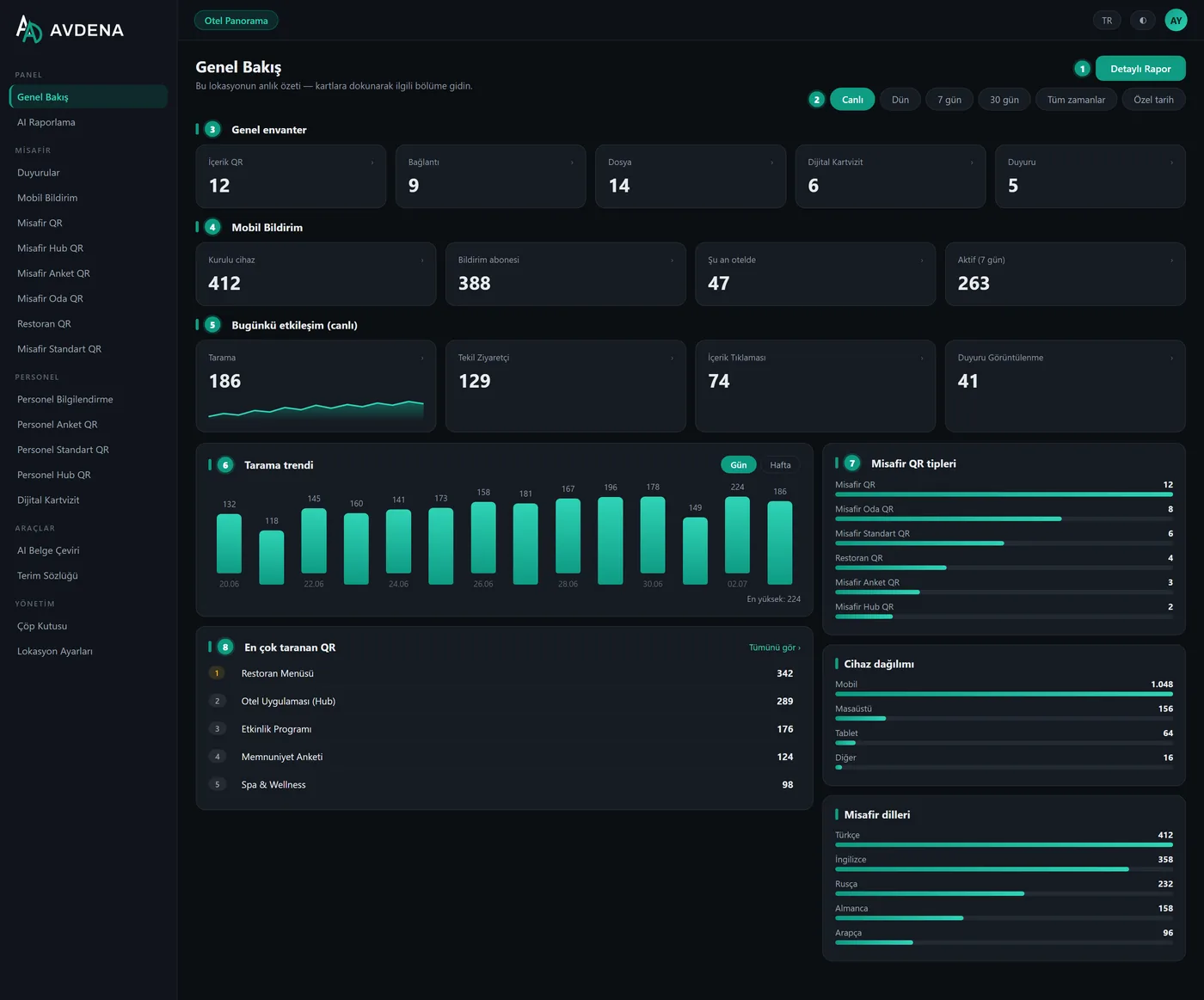
Everything a single property needs daily — live overview, 18 report tabs, designer-grade QR styling.
Live overview
Inventory, today’s interaction, notification devices and a 14-day scan trend — refreshed every few seconds, updated on every scan.
- Live / 7 / 30 days / all time / custom
- Every card deep-links to its report
- Guest & staff buckets side by side
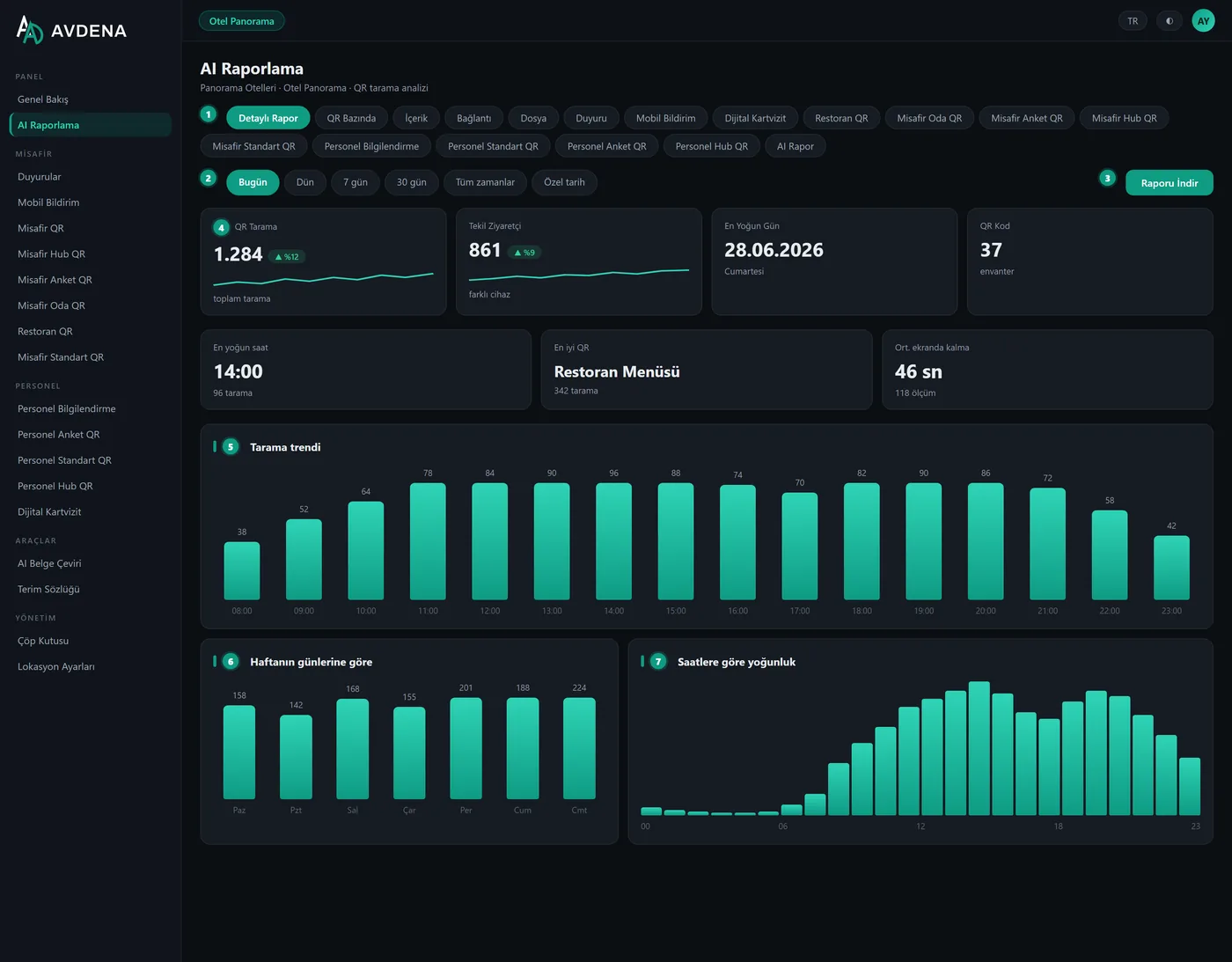
18 report tabs, one logic
Per-type reports with KPIs, time series, weekday/hour patterns, device–language–country breakdowns and top-QR tables. PDF (charted) or Excel in one click.
- Report per QR, per room, per table, per survey question
- Average on-screen time (dwell) metric
- Deleted-QR data kept for historical ranges
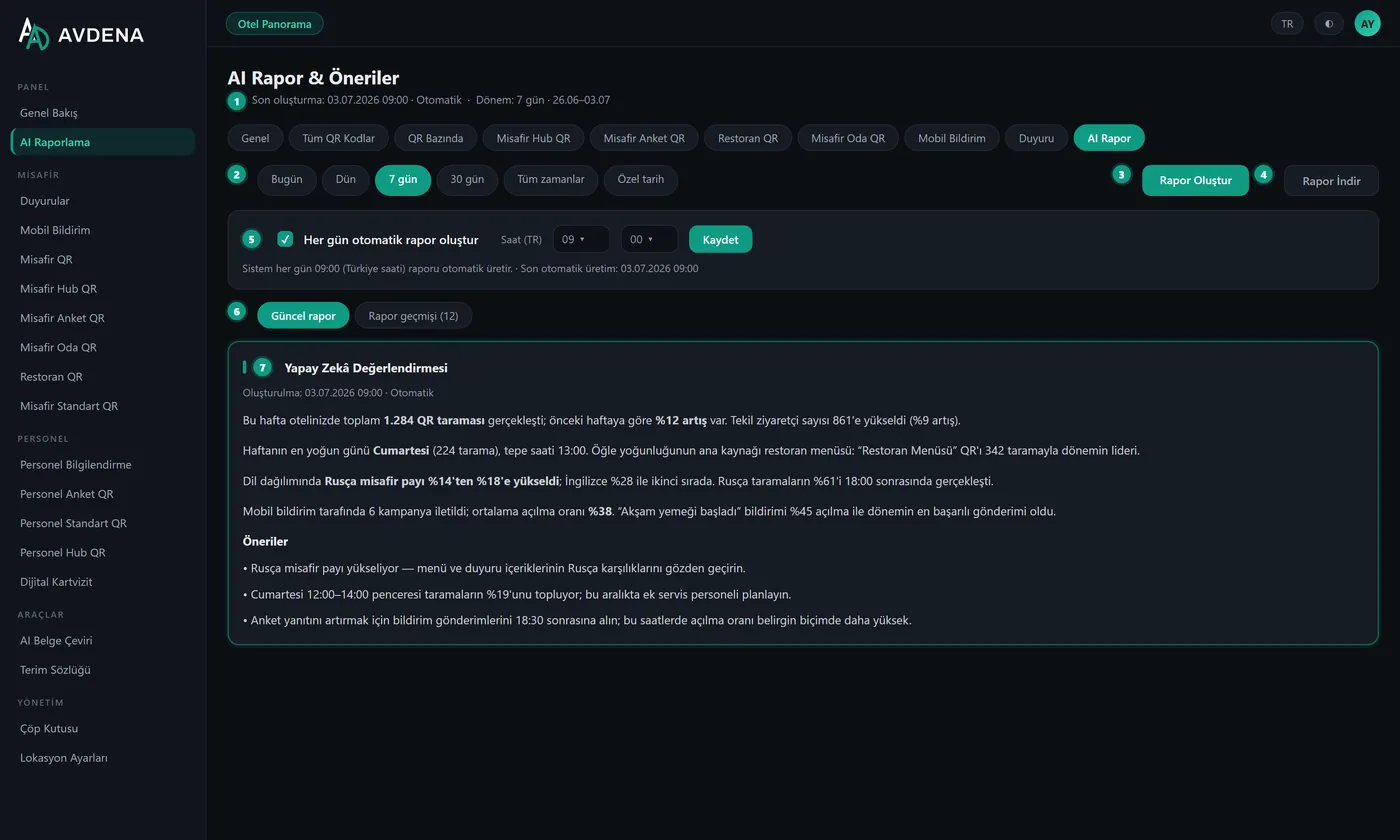
A manager’s report, written by AI
The AI reads your period data and writes an executive summary with highlights and suggestions. Schedule it daily; browse and download the history.
- Pick the sections it covers
- Daily auto-generation at your hour
- Charted PDF or plain-text PDF
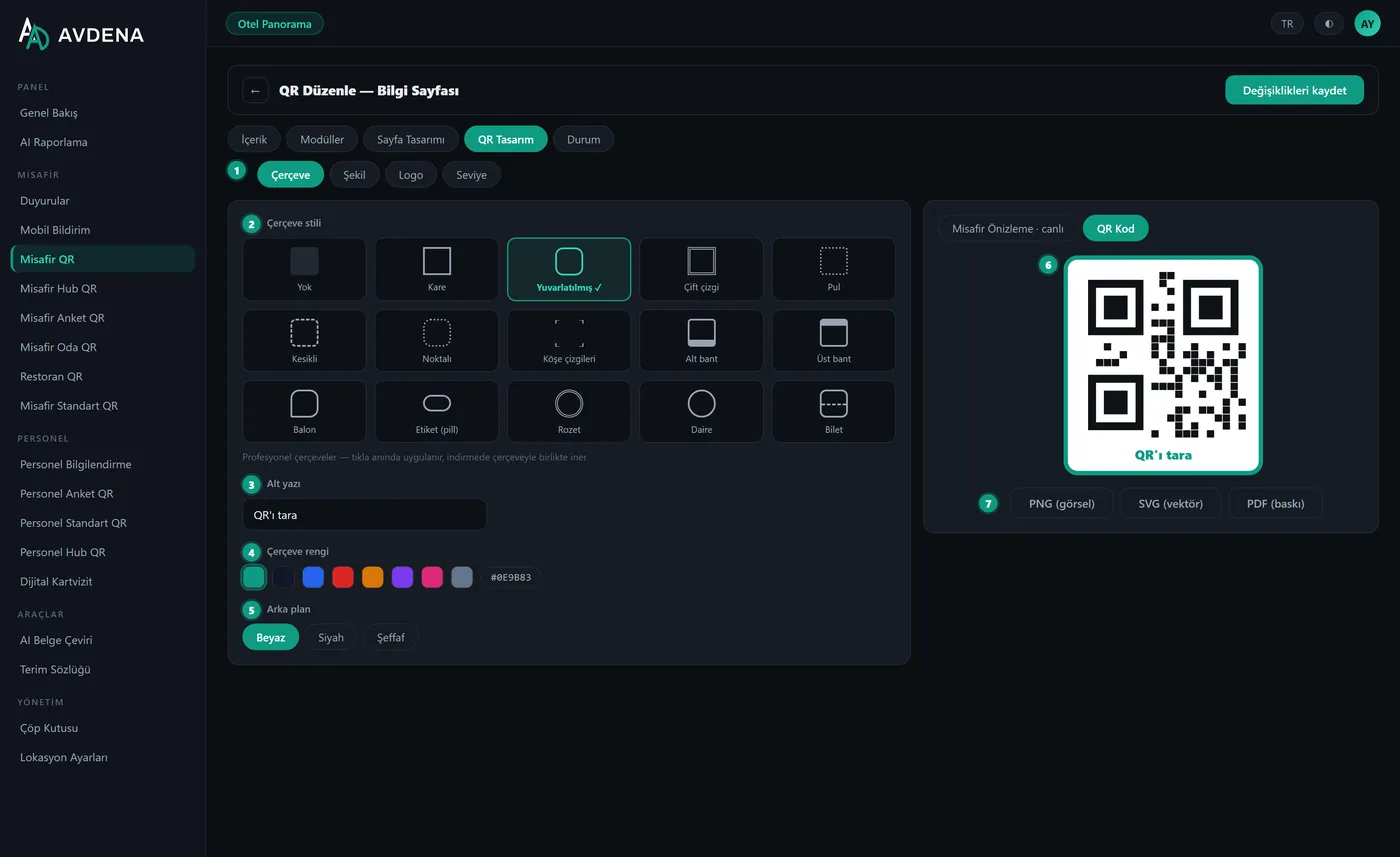
Designer-grade codes
14 frame styles, pixel/corner shapes, gradients, your logo from a shared library, error-correction levels — with live preview and print-ready output.
- PNG · SVG · press-ready A4 PDF
- Bulk-apply one design to all codes
- Live phone preview of the guest page
Your entire group, in a single view
For multi-hotel operators: group totals up top, one card per property below — compare, click, drill into any hotel’s panel in one tap.
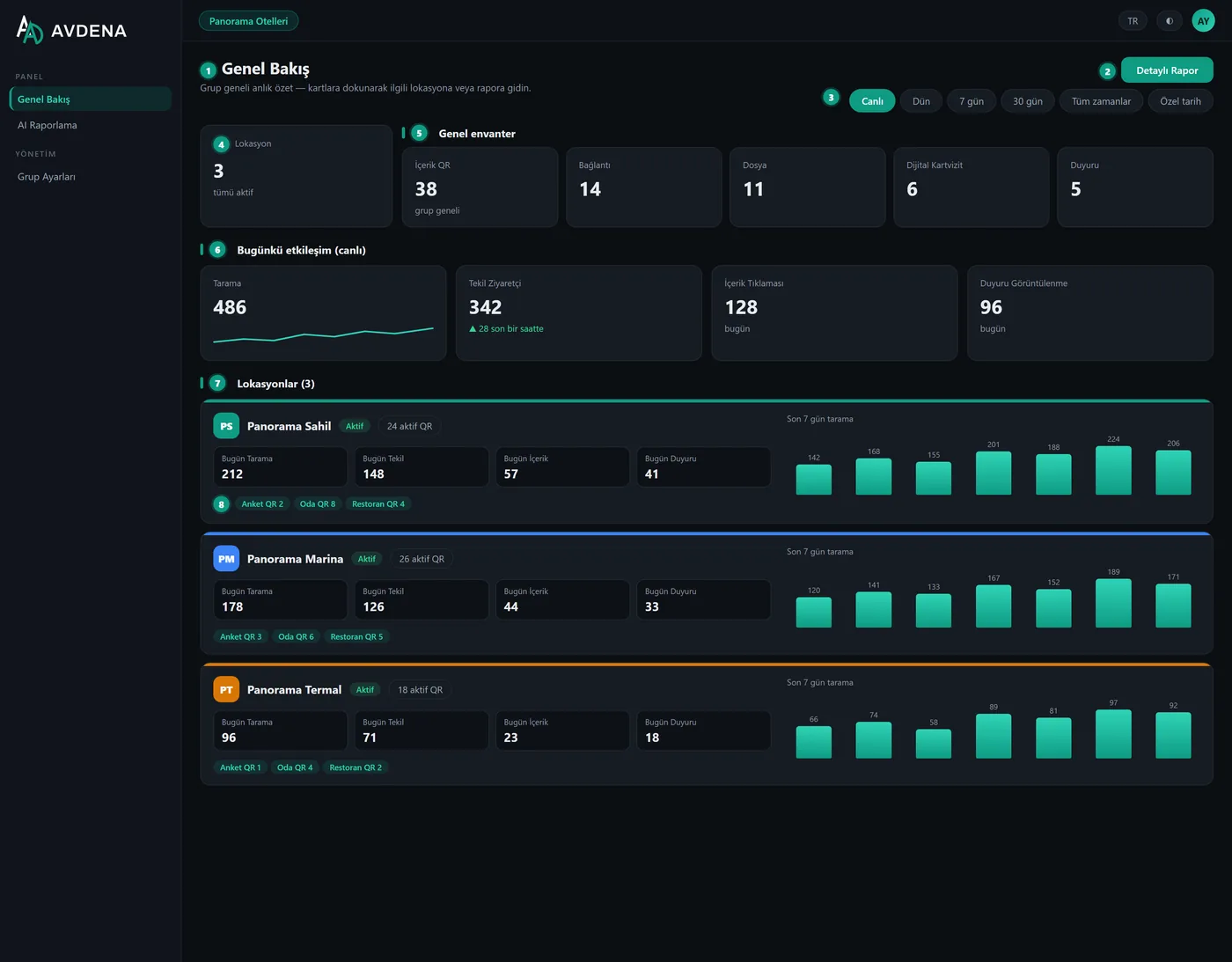
Location cards
Today’s scans, uniques, content and announcements per hotel, with a 7-day mini trend.
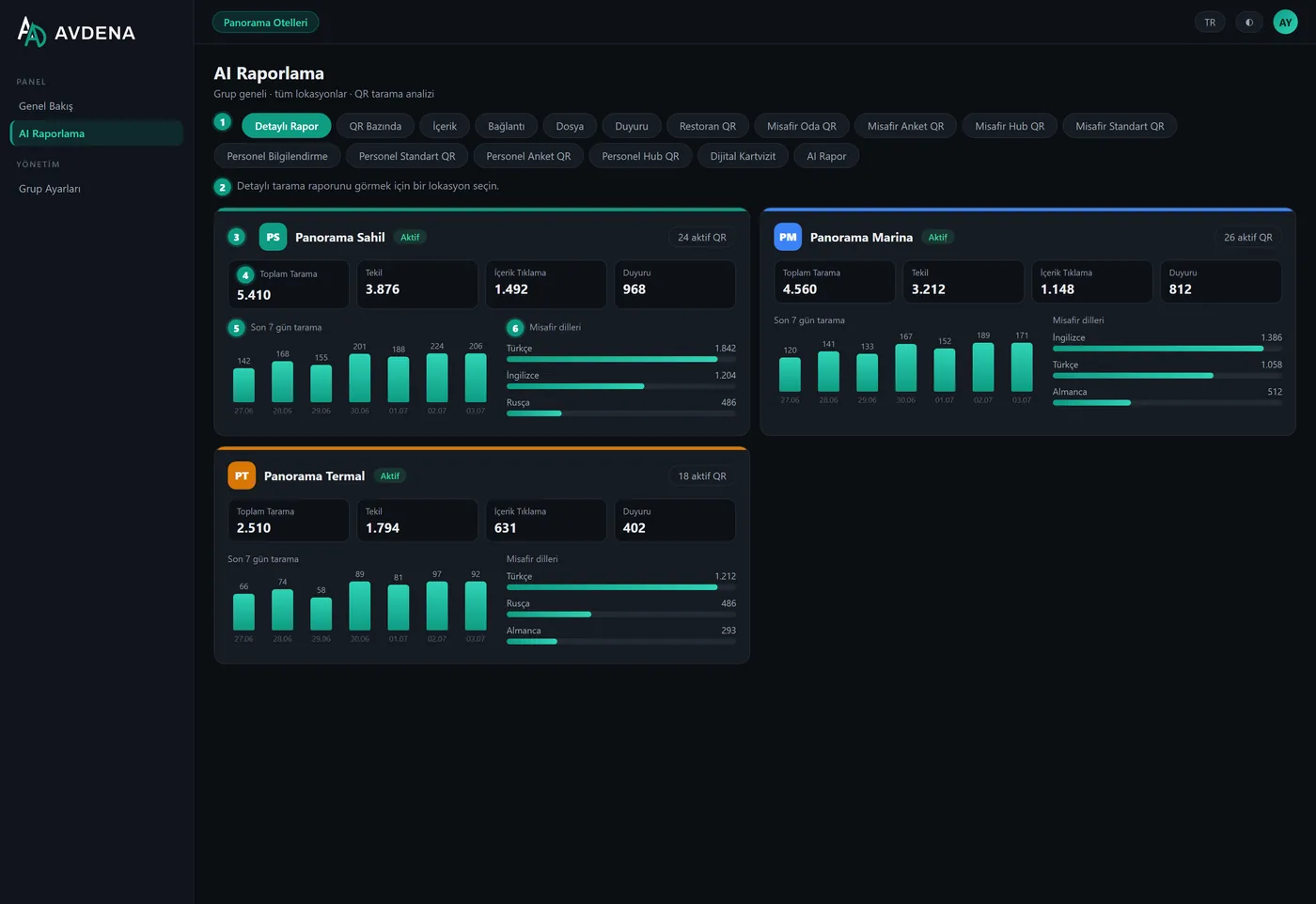
Location-first reports
Every report tab lists your hotels first; pick one to open its full report inside the group panel.
Group AI report
One written report across all properties — including a location comparison section. Schedulable daily.
Group users & roles
Group admin, location admin, staff roles; fine-grained permission packages reusable across hotels.
Enterprise-ready by design
The foundations that make Avdena QR safe to roll out across an entire hotel group.
Fully branded
Your logo, colours and own domain on the panel and every guest page — your brand leads throughout.
Multi-location groups
Run every hotel from one panel with a comparative group dashboard.
Granular RBAC
17 permission modules with ready presets; unseen menus stay hidden.
Multilingual
Guests in TR · EN · RU · DE · AR; panel in TR · EN · RU · DE.
No app to install
Guest pages open in the browser; the Hub installs as a PWA.
No QR limit
Create as many QR codes and locations as you need.
Term glossary
Keeps your brand and hospitality terms consistent across every automatic translation.
KVKK & cookie consent
Guest cookie consent, a privacy notice and access logging in line with Law No. 5651 — built in.
Encrypted by design
Sensitive keys are stored encrypted at rest (AES-256) and guest content is sanitised before display.
A QR for every corner of your business
Standard QR
Fast codes — web, WiFi, location, file, WhatsApp — dynamic or static.
Guest QR
Portal, link hub, info page, gallery and coupon — branded, multilingual mini-pages.
Guest Hub QR
One QR opens a branded, card-based hub guests can add to their phone as an app (PWA).
Guest Room QR
Room × category — room service, WiFi, TV, escape plan, spa. Content as PDF/image/link/video.
Restaurant / Venue QR
Links your menu to a fixed QR. Even if the provider changes, the printed QR stays the same.
Digital Business Card
For your company and staff. Whoever scans saves your employee to their phone in one tap.
Survey QR
Multilingual guest surveys; collect responses on the spot and read them live with an AI summary.
Encrypted QR
A password-protected branded page — only guests with the password see what is behind the QR.
Staff QR
A separate area for your team — hub, briefings, surveys and standard QR, apart from guests.
…and more
Announcements, digital menu, files, WiFi and location codes — all in one panel, without reprinting.
Frequently Asked Questions
The most common questions about Avdena QR.
What does Avdena QR do?
It gives your guests a digital hotel experience with no app to install — the guest scans a QR and your branded page opens in their own language. It moves routine requests to self-service to lighten staff workload, and manages every guest and staff QR from one panel, where you update content without reprinting and report scans with AI.
Do guests have to install an app?
No. Every guest page opens in the browser with nothing to download. If they want, guests can add the Guest Hub to their home screen like an app (PWA) — still with no app-store download.
Can I change the content after printing the QR?
Yes. Dynamic QR codes keep the printed code fixed while you update the content behind them anytime. Only static codes (WiFi, vCard, plain text) embed the content and need a new code to change.
Do we need you to be our provider for the restaurant/venue menu?
No. You choose the menu (a PDF or a link); Avdena QR only links and manages that menu via the QR. Even if your menu provider changes, the printed QR stays fixed. Avdena does not manage menus or prices.
Can I manage my hotels in different locations from one place?
Yes. You manage all your QR codes across rooms, restaurant, bar, outdoor areas and different locations from one panel, with comparative reporting.
Which languages are supported?
Guest content: Turkish, English, German, Russian and Arabic, auto-translated, with each guest greeted in their own browser language. The management panel is available in TR, EN, RU and DE.
Can we use it with our own brand?
Yes, entirely your own brand. Your logo, colour and corporate identity appear on both the panel and the guest screens, and you can connect your own domain, so your brand leads throughout.
Can guests keep our hotel on their phone?
Yes. With the Guest Hub QR, one scan opens a branded hub guests can add to their phone like an app (PWA). You can then send them mobile push notifications.
Can we share content with staff separately from guests?
Yes. Staff QR codes — a staff hub, briefings, surveys and standard codes for your team — are kept in their own area with their own permissions, apart from guest content.
What if we delete a QR by mistake?
Every deleted QR goes to a central trash bin and is kept with no time limit. Restore it with a click and the printed code works again; permanent deletion requires typing the QR name to confirm.
Is our data secure and KVKK-compliant?
Yes. Guests give cookie consent with a privacy notice, access is logged in line with Law No. 5651, and sensitive keys are stored encrypted at rest. You can also lock any guest page behind a password with an Encrypted QR.
How do we get support?
Write to our technical support for any fault or request — the address is in the Support section below. We set up the panel with your branding and content, and stay reachable afterwards.
Support and pricing, whenever you need it
Send any fault report or request to our technical support address, or write to our info address for detailed information and pricing. We also handle the initial setup with your branding and content.
Faults and requests are answered by e-mail.